 Skip to main content

 RapiTest - Functional testing
 RapiCover - Coverage analysis
 RapiTime - Timing analysis
 RapiTask - RTOS scheduling visualization
 RVS Qualification Kits - Tool qualification for DO-178C
 RapiCouplingPreview - DCCC analysis
 MACH178 Core Pack - Getting started
 MACH178 Platform Pack - Platform evaluation
 MACH178 Resource Pack - Interference verification
 MACH178 Qualification Pack- Tool qualification
 Tool Integration
 Training
 Consultancy
 Support
 RTBx - The ultimate data logging solution
 Sim68020 - Motorola 68020 Simulation
 RVS 3.25 brings improved zero-footprint analysis to more platforms
 Rapita Systems Collaborates with Wind River to Break the Multicore Certification Barrier
 Rapita Systems Launches Next Generation of MACH178 for Multicore
 RVS 3.24 accelerates multicore software verification
 Introduction to Data Coupling and Control Coupling for DO-178C
 The Evolution of DO-178 and ED-12 Standards
 Retro gaming with the Sim68020
 RVS gets a new timing analysis engine
 How to achieve multicore DO-178C certification with Rapita Systems
 How to achieve DO-178C certification with Rapita Systems
 Certifying Unmanned Aircraft Systems
 DO-278A Guidance: Introduction to RTCA DO-278 approval
 DO-178C Multicore Virtual Training
 HISC 2026
 ISCLP 2026 (DGA)
 Multicore Software Verification and Certification Training (Langton Aerospace Technology)







Examine Ada, C or C++ applications via scheduling visualization
Understanding your application’s scheduling behavior can help you troubleshoot scheduling issues. RapiTask automatically collects information during program execution, presenting this data so you can follow the events that occurred in the test run.
Providing a timeline of the tasks that ran in your system, a wealth of charts and statistics, RapiTask lets you analyze your system’s scheduling behavior in-depth.
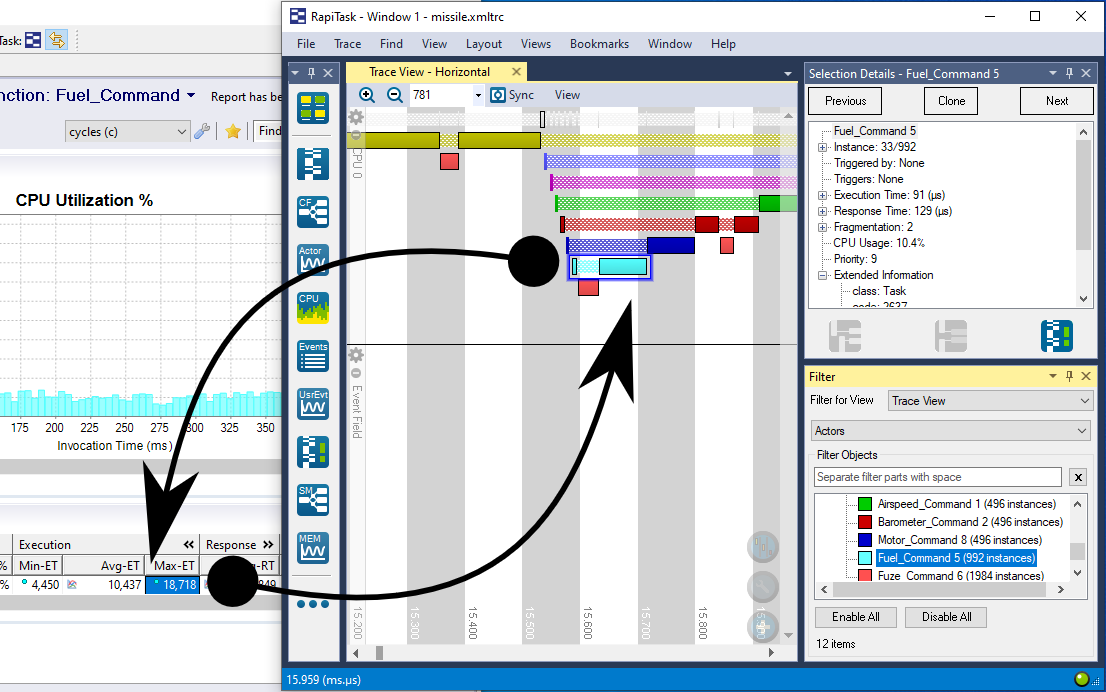
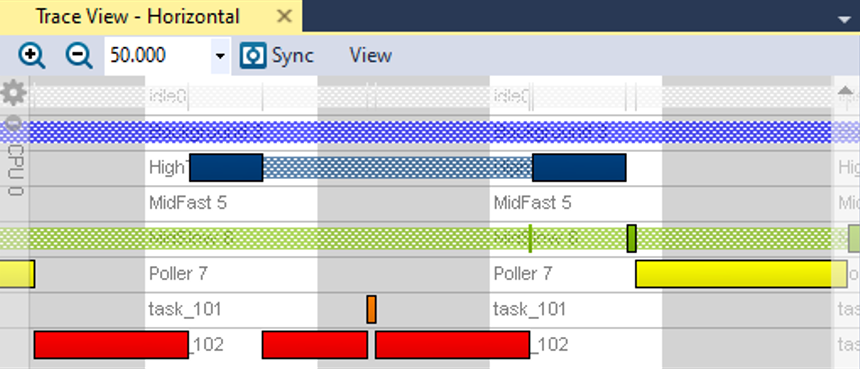
Locate rare timing events that need attention
RapiTask makes it easy to find rare timing events such as priority inversions in your system so you can fix them. By following your system’s tasks throughout execution, you can easily locate rare timing events, which can be visualized easily for example by color coding tasks according to priority.
You can also verify that your highest priority tasks aren’t pre-empted at a glance by using fragmentation charts and statistics.
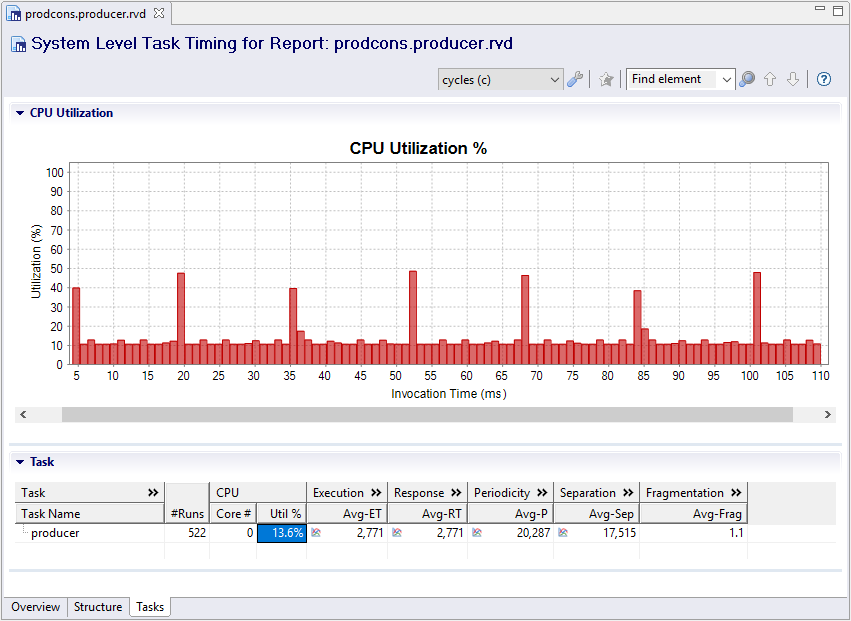
Identify bottlenecks in your application by analyzing capacity issues
Bottlenecks in critical software can slow the system down or even cause it to fail as timing deadlines are missed. By letting you view the CPU utilization of each task in your system throughout your software execution, RapiTask helps you identify bottlenecks so you can fix them.
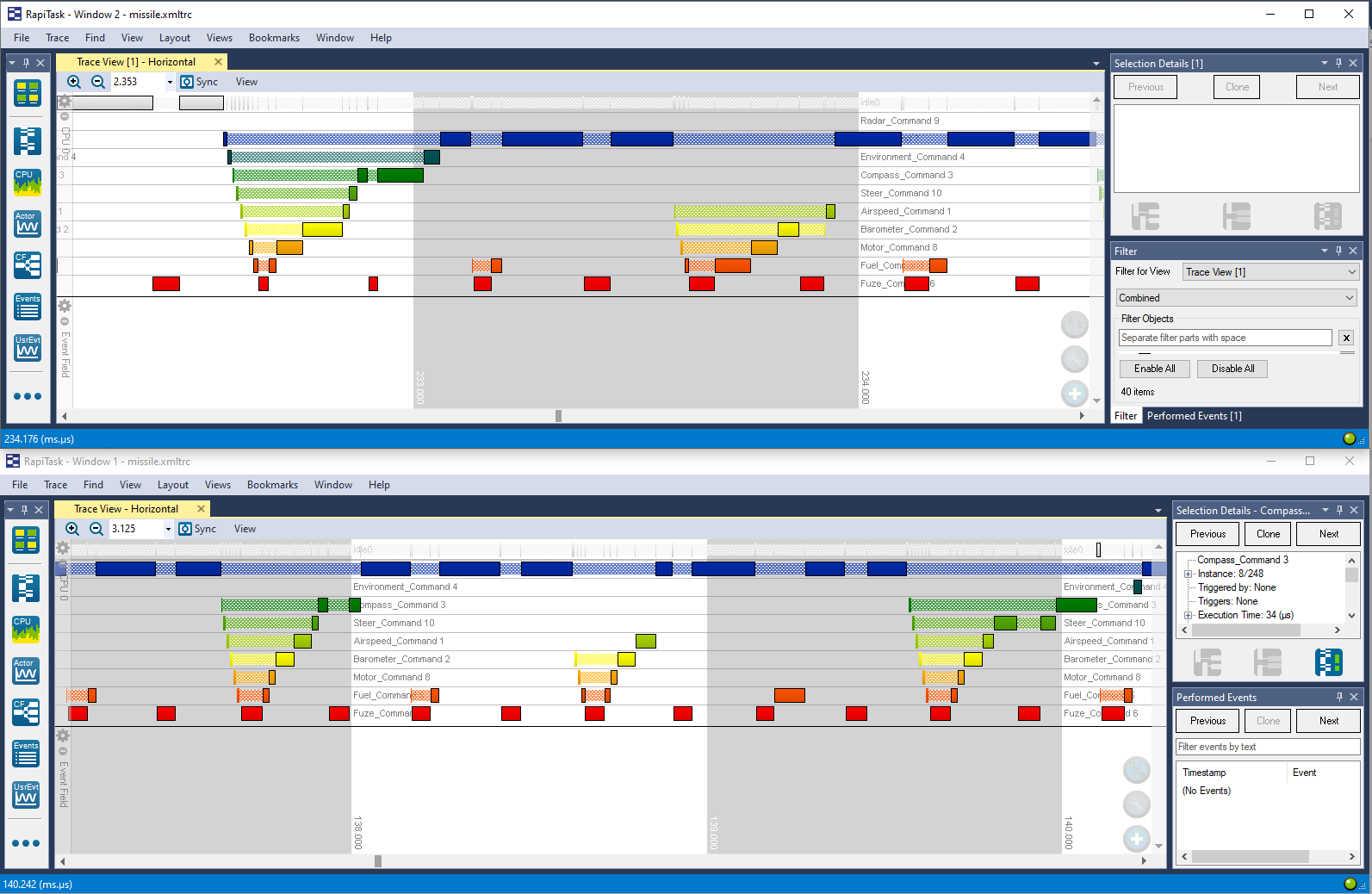
Compare scheduling algorithms from different RTOSs
While there are many vendor-specific scheduling visualization tools, these are often only compatible with a single RTOS. RapiTask lets you understand your system’s scheduling behavior through a common framework no matter which RTOS you’re using.
This means less time learning new tools and more time testing and resolving issues.
Product features
-
 ANSYS® SCADE®Discover this feature
Test your SCADE® models on-host and on-target through all phases of the verification lifecycle.
-
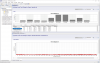 System event tracingDiscover this feature
Automatically analyze the behavior of tasks in your system as it runs.
-
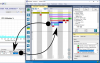 Understand scheduling behaviorDiscover this feature
Understand your system's scheduling behavior at a glance.
-
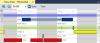 Locate rare timing eventsDiscover this feature
Scan large traces for specific unusual situations.
-
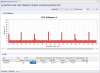 Analyze system capacity issuesDiscover this feature
Identify and analyze capacity issues in your system.
-
 Configure user eventsDiscover this feature
Configure additional events to monitor during software execution.
-
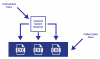 OS-only instrumentationDiscover this feature
Collect task scheduling data without instrumenting individual tasks.
-
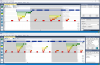 RTOS-independent scheduling visualizationDiscover this feature
Understand program scheduling through a common framework no matter which RTOS you're using.
-
 Automate testing on host and targetDiscover this feature
Run tests on host computers and test rigs in continuous build environments.
-
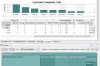 Analyze code complexityDiscover this feature
Analyze the complexity of your source code.
-
 Efficient integration workflowDiscover this feature
Configure integrations of RVS into your development environment quickly and easily.
-
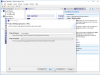 RVS Project ManagerDiscover this feature
Take your test project from creation to completion with an intuitive user-interface.
-
 Shared integration with instrumentation-based RVS toolsDiscover this feature
After integrating one RVS tool to work a development environment, it is trivial to use others.
-
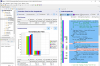 Redact source code for confidentialityDiscover this feature
Verification can be performed while source code is redacted to support verification by third-party suppliers.
-
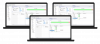 Portable test environmentsDiscover this feature
Multiple users can share the same test environment.
-
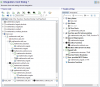 Easily configurable analysisDiscover this feature
Apply analysis settings easily using a friendly user interface.
-
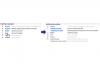 Customizable workflowDiscover this feature
Customize the RVS workflow to best meet your needs.
-
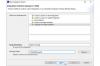 Template integrationsDiscover this feature
Create and use template integrations to reduce your effort integrating RVS with your system.
-
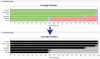 Customizable color schemeDiscover this feature
Customize the color scheme used to display your results.
-
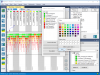 Customizable task colorsDiscover this feature
Customizable task colors help you highlight the tasks you're most interested in.
-
 Comprehensive verification toolsuiteDiscover this feature
One tool to meet all your software verification needs.
-
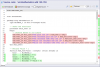 Code viewerDiscover this feature
View code with syntax highlighting and color-coding of results.
-
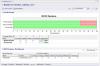 Easily filter resultsDiscover this feature
Easily filter results to focus your analysis.
-
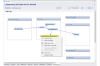 Visualize call dependenciesDiscover this feature
Visualize the call dependencies in your code.
-
 Advanced search functionDiscover this feature
Search reports for specific elements using advanced queries.
-
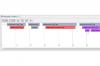 Invocation Timeline ChartDiscover this feature
A timeline of your invocations helps you visualize the order of calls and how long each took to execute.
-
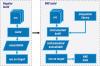 Integrate with existing build systemsDiscover this feature
Collect data from almost any build system.
-
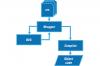 Compiler wrappersDiscover this feature
The recommended build integration strategy requires little if any change to the development environment.
-
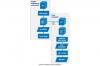 Clone integrationDiscover this feature
Copy the build system to build and test code with RVS.
-
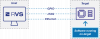 Flexible integration strategiesDiscover this feature
Collect data from almost any embedded target with flexible collection strategies.
-
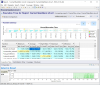 Multicore supportDiscover this feature
Verify critical multicore systems.
-
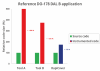 Low target overheadsDiscover this feature
Fit more tests on your target and reduce the number of builds you need to run.
-
 Lauterbach debuggerDiscover this feature
Collect verification data from Lauterbach debuggers.
-
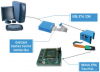 iSYSTEM debuggerDiscover this feature
Collect verification data from iSYSTEM debuggers.
-
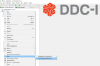 DeosDiscover this feature
Out-of-the-box integration with DDCI-I's Deos operating system.
-
 CDiscover this feature
Support for verification of code written in C.
-
 C++Discover this feature
Support for verification of C++ code.
-
 AdaDiscover this feature
Support for verification of code written in Ada.
-
 Mixed language supportDiscover this feature
Support for verification of code written in multiple languages.
-
 AssemblyDiscover this feature
Support for verification of Assembly code.
-
 Compiler extension editorDiscover this feature
Manage extensions to support non-standard programming languages with an interactive editor.
-
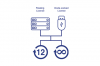 Flexible licensing optionsDiscover this feature
Select floating or node-locked licenses with annual or perpetual duration.
-
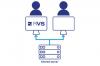 Floating licensesDiscover this feature
Floating licenses support multiple users and shared working environments.
-
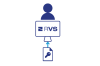 Node-locked licenses Node-locked licenses support the use of RVS on a single machine.Discover this feature
 -
 Perpetual licensesDiscover this feature
License RVS for use indefinitely.
-
 Annual licensesDiscover this feature
License RVS in annual increments.
-
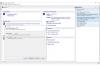 Easy to get startedDiscover this feature
Integration and learning resources help you get started verifying your code in no time.
-
 SupportDiscover this feature
Dedicated support service to resolve technical issues quickly.
-
 Examples and sandbox projectsDiscover this feature
Examples and sandbox projects help you get started quickly.
-
 TrainingDiscover this feature
Get up to speed with custom training courses delivered by expert engineers.
-
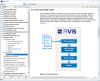 DocumentationDiscover this feature
Learn how to use RVS features with comprehensive documentation in both printed and electronic formats.
-
 Help searchDiscover this feature
Search the help system to find the most relevant resources quickly.
-
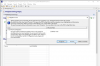 Easily migrate to new versionsDiscover this feature
Easily migrate to new RVS versions with guided migration help.


Downloads
News & Blog
Ada
Programming Languages
RVS can be used to verify Ada code for requirements-based testing, structural coverage, execution time and scheduling behavior.
AdaCore Ravenscar Profile
RTOS
RVS supports the verification of code using AdaCore Ravenscar Profile.

Compilers
RVS supports the AdaMULTI compiler.

CPU
RVS can be used to analyze software running on Analog Devices CPUs.
RVS tools can be used to analyze software run on any host operating system or embedded target (as long as a communication channel is available). The following is a non-exhaustive list of Analog Devices CPUs we have worked with:
- Blackfin
- SHARC
- SigmaDSP
- TigerSHARC
- ADSP-21xx

Model-Based Design
RVS can be used for on-target verification of code generated by ANSYS® SCADE® and for verification of manually written code in Ansys SCADE projects.
RVS automatically converts model-based tests written in SCADE Test into on-target verification tests, ensuring an efficient workflow through MIL to HIL testing.
Any Instruction Set
Instruction Sets
Instrumentation-based RVS tools can run on any instruction set used in embedded software.

CPU
RVS can be used to analyze software running on Arm CPUs.
RVS tools can be used to analyze software run on any host operating system or embedded target (as long as a communication channel is available). The following is a non-exhaustive list of Arm CPUs we have worked with:
- ARM7
- ARM9
- ARM10
- ARM11
- Cortex-M
- Cortex-R
- Cortex-A

Compilers
RVS supports the Arm DS-5 compiler.
Assembly
Programming Languages
RVS can be used to verify Assembly code for structural coverage, execution time and scheduling behavior.

RTOS
RVS supports the verification of code using ASTERIOS (previously known as Krono-Safe ASTERIOS).

CPU
RVS can be used to analyze software running on Atmel CPUs.
RVS tools can be used to analyze software run on any host operating system or embedded target (as long as a communication channel is available). The following is a non-exhaustive list of Atmel CPUs we have worked with:
- AT90CAN128
AUTOSAR Adaptive Platform
RTOS
RVS supports the verification of code using AUTOSAR Adaptive Platform.

Software Configuration Management (SCM)
RVS tools work with projects using Azure DevOps for Software Configuration Management.

Software Configuration Management (SCM)
You can run RVS automatically through the Bamboo continuous integration server.
Bare Metal
RTOS
RVS (including zero-footprint tools) supports the verification of code running on Bare Metal (no OS).

Software Configuration Management (SCM)
RVS tools work with projects using BitBucket for Software Configuration Management.

RTOS
RVS supports the verification of code using Blackberry QNX.
Borland C++
Compilers
RVS supports the Borland C++ compiler.
C
Programming Languages
RVS can be used to verify C code for requirements-based testing, structural coverage, execution time and scheduling behavior.
C++
Programming Languages
RVS can be used to verify C++ code for requirements-based testing, structural coverage, execution time and scheduling behavior.
Cobertura
Software Configuration Management (SCM)
RapiCover lets you export structural coverage results in a Cobertura format.

RTOS
RVS has an out-of-the-box integration with DDC-I's Deos operating system.

Requirements Traceability
RapiTest lets you import requirements from DOORS through ReqIF.

RTOS
RVS supports the verification of code using ERIKA Enterprise.

CPU
RVS can be used to analyze software running on ESA CPUs.
RVS tools can be used to analyze software run on any host operating system or embedded target (as long as a communication channel is available). The following is a non-exhaustive list of ESA CPUs we have worked with:
- LEON2

RTOS
RVS (including zero-footprint tools) support the verification of code using ESOL eMCOS.

RTOS
RVS (including zero-footprint tools) supports the verification of code using FreeRTOS.

CPU
RVS can be used to analyze software running on FRONTGRADE Gaisler (previously known as Cobham Gaisler) CPUs.
RVS tools can be used to analyze software run on any host operating system or embedded target (as long as a communication channel is available). The following is a non-exhaustive list of FRONTGRADE Gaisler CPUs we have worked with:
- LEON3
- LEON4
G++
Compilers
RVS supports the G++ compiler.

Compilers
RVS supports the GCC compiler.

Software Configuration Management (SCM)
RVS tools work with projects using GitHub for Software Configuration Management.

Software Configuration Management (SCM)
You can run RVS automatically through continuous integration pipelines in GitLab.
GNAT GPL
Compilers
RVS supports the AdaCore GNAT GPL compiler.
GNAT Pro
Compilers
RVS supports the AdaCore GNAT Pro compiler.
Green Hills Integrity
RTOS
RVS supports the verification of code using Green Hills Integrity.

CPU
RVS can be used to analyze software running on IBM CPUs.
RVS tools can be used to analyze software run on any host operating system or embedded target (as long as a communication channel is available). The following is a non-exhaustive list of IBM PowerPC implementations we have worked with:
- G1 (601)
- G2 (602, 603, 604, 620)
- G3 (740/750)
- 7xx/750 family
- G5/970 series
- 401
- 403
- 405
- 440 range
IBM Engineering Rhapsody
Model-Based Design
RVS can be used for on-target verification of code generated by IBM Engineering Rhapsody and for verification of manually written code in IBM Engineering Rhapsody projects.

CPU
RVS can be used to analyze software running on Infineon CPUs.
RVS tools can be used to analyze software run on any host operating system or embedded target (as long as a communication channel is available). The following is a non-exhaustive list of Infineon CPUs we have worked with:
- XE166 family
- XC 2000 family
- C166 family
- TriCore
- TriCore Aurix
- TriCore Aurix Gen2
- XMC1000
iSYSTEM
Debuggers
RVS tools support software verification using branch traces collected from the iSYSTEM debuggers.
Using a trace port (NEXUS or ARM‑ETM), RVS can collect traces via the following iSYSTEM debuggers, which monitor writes made to a specific register or memory location:
- iC3000GT and iTRACE GT
- iC5000

Requirements Traceability
RapiTest has a dedicated integration with the Jama Connect® requirements management and traceability tool.

Software Configuration Management (SCM)
You can run RVS automatically through the Jenkins continuous integration server.

Software Configuration Management (SCM)
RapiTest lets you export functional test results in the JUnit format.
Linux
OS (Host)
RVS can run on variety of Linux distributions (including Ubuntu and Red Hat).
For older operating systems, contact us.

RTOS
RVS supports the verification of code using LynxOS.

RTOS
RVS supports the verification of code using LynxSecure.
MachineWare
Simulators
RVS tools support verifying code executed on MachineWare simulators.
MachineWare simulators integrate with Rapita tools like physical hardware and can be used to gain deep insights even before first hardware prototypes are available. Such as:
- SIM-A (Arm simulator)
- SIM-V (RISC-V simulator)
MaRTE OS
RTOS
RVS supports the verification of code using MaRTE OS.

Model-Based Design
RVS can be used for on-target verification of code generated by Mathworks Simulink and for verification of manually written code in Mathworks Simulink projects.

RTOS
RVS supports the verification of code using μC/OS.
MICROSAR
RTOS
RVS supports the verification of code using MICROSAR.
Microsoft TFS
Software Configuration Management (SCM)
RVS tools work with projects using Microsoft TFS for Software Configuration Management.

Compilers
RVS supports the MULTI (C/C++) compiler.

CPU
RVS can be used to analyze software running on Freescale/NXP CPUs.
RVS tools can be used to analyze software run on any host operating system or embedded target (as long as a communication channel is available). The following is a non-exhaustive list of Freescale (NXP) CPUs we have worked with:
- 68000
- 680x0
- ColdFire
- M-CORE
- Power Architecture (MPC5xx, MPC55xx, MPC56xx, MPC57xx)
- ARM Cortex-M microcontrollers (Kinetis E series, Kinetis K series, Kinetis L series, Kinetis M series, Kinetis W series).
- 56k DSP family
- QorIQ (P2010, P2020, P4080, P5010, P5020, P5021, P5040, T2080)

RTOS
RVS (including zero-footprint tools) supports the verification of code using SYSGO PikeOS.

Requirements Traceability
RapiTest supports integration with the Polarion® ALM™ requirements management and traceability tool.

Requirements Traceability
RapiTest integrates with requirements management software that can produce ReqIF format results.

Requirements Traceability
RapiTest lets you import requirements from Reqtify through ReqIF.
RI850V4
RTOS
RVS supports the verification of code using RI850V4.

RTOS
RVS supports the verification of code using RTEMS.
RTXC Quadros
RTOS
RVS supports the verification of code using RTXC Quadros.
SafeRTOS
RTOS
RVS (including zero-footprint tools) supports the verification of code using SafeRTOS.

Software Configuration Management (SCM)
RVS tools work with projects using TeamCity for Software Configuration Management.

CPU
RVS can be used to analyze software running on Texas Instruments CPUs.
RVS tools can be used to analyze software run on any host operating system or embedded target (as long as a communication channel is available). The following is a non-exhaustive list of TI CPUs we have worked with:
- TMS320C6x family
- TMS320C28x family
- TMS320F28x family
- TMS570 family

Requirements Traceability
RapiTest lets you import requirements from Visure through ReqIF.
Wind River Helix & VxWorks
RTOS
RVS supports the verification of code using Wind River Helix & VxWorks.
Windows
OS (Host)
RVS can run on Windows 10 and 11.
For older operating systems, contact us.
Windows Server
OS (Host)
RVS can run on Windows Server 2019 and above.
For older operating systems, contact us.
Instrumentation-based vs instrumentation-free analysis
Both RapiTask and RapiTaskZero support task-level scheduling visualization for critical software. Depending on your project and needs, one or both solutions may be better for you. Consult the table below to determine which is best for your project.
|
Features |

|

|
|---|---|---|
|
Works without source code |
No |
Yes |
|
Works without Instrumentation |
No |
Yes |
|
Integration with development environment |
Integration needed |
No integration needed |
|
Tool qualification support |
Yes |
Not yet available - contact us |
|
Trace size and data processing time |
Depends on applied instrumentation |
Typically larger trace and longer data processing times |
|
Supported platforms (target, data collection mechanism) |
Flexible, almost any platform supported (see compatibility) |
Requirements on platform (branch trace and context switch information must be available), PSP (see compatibility) |
Frequently asked questions
-
Which languages does RapiTask support?
RapiTask supports C, C++ and Ada projects, including mixed-language ones.
-
How do I learn more about RapiTask?
You can request a trial version of RVS, which includes RapiTask. You can also arrange a demonstration, where a member of our team will work with you to show the benefits RapiTask can offer you.
If you’re interested in RapiTask in academia, you can search for it in the academic press.
-
What is RapiTask?
RapiTask is the leading tool for task-level scheduling analysis of critical software.
Used globally in the aerospace and automotive industries, it reduces the cost of understanding software scheduling behavior and troubleshooting scheduling issues.
As part of the RVS toolsuite, it forms part of a software verification solution that also includes tools for functional testing, structural coverage analysis and worst-case execution time analysis.
-
How does RapiTask work?
RapiTask provides an RTOS-independent tool for visualization and exploring the scheduling behavior of embedded systems, and rapidly diagnosing and identifying potential problems.
It lets you visualize scheduling behavior across threads and processor cores, and reports response times from your system.
-
Which host operating systems can RVS be used on?
RVS tools can be run on the following x86-64 operating systems:
- Windows 10 and 11
- Windows Server 2019+
- Variety of Linux distributions (including Ubuntu and Red Hat)
RVS tools can be used on projects with unsupported operating systems by using a clone integration to split the process and delegate parts of it to the unsupported machine.
-
Which hardware architectures do RVS tools support?
RVS tools can be integrated to work with almost any embedded target. Our engineers can work with you to determine the optimal strategy for integrating the tool with your target, even for multi-core architectures. For more information on the hardware architectures we have integrated RVS tools with, see the compatibility information on our RVS product pages.
-
Can I use RapiTask with my build system?
RapiTask can be integrated to work with almost any compiler and target hardware. Our integration service promises to deliver a robust integration of RapiTask into your build system.
-
How are my results presented?
RapiTask displays results in two applications, the RVS Project Manager that is shared with all RVS tools, and an application specifically designed to display task scheduling information. You can synchronize the two applications to ensure that you can easily identify specific timing events in your system.
RapiTask's Invocation Timeline Chart helps you to understand the high-level scheduling behavior of your system at a glance.
-
Can I use RapiTask to analyze the behavior of multicore architectures?
As with all RVS tools, RapiTask supports data collection on multicore architectures.
RapiTask is a component of Rapita's MACH178 solution, which analyzes the timing behavior of multicore systems.
-
Why do I need RapiTask when I have tools from my RTOS vendor?
RapiTask is OS-agnostic so you can keep the same visualization and metrics if you change OS, and you can use RapiTask results as a point of reference to compare operating systems.
Additionally, you can capture and display custom events not related to the operating system (for example ARINC 429 messages) and display them in the trace.
-
Can I only use RapiTask with RapiTime, or can I use RapiTask as a standalone tool?
You can use RapiTask as a standalone tool with either automatic or manual instrumentation.
-
If I have RapiTime, do I still need RapiTask?
RapiTime abstracts away from the OS tasking model and only reports the execution time of a task as if it were the only thing running on the CPU. If you are interested in the response time of your code, or the interaction between tasks and your OS, you'll need RapiTask.
-
How does RapiTask show OS events such as inter-process communication (semaphores, messages). timers, hardware I/O etc?
RapiTask is OS-agnostic; as with all Rapita tools the integration with the operating environment needs to be customized. If we can get information about items of interest from the OS we can add ‘user events’ to a RapiTask trace.
-
How large a code base can RVS tools handle?
RVS tools are designed to handle very large code bases. Because of the efficient algorithms used by RVS tools, there is no fundamental limitation to the number of lines of code that RVS can process, and our RVS tools have been used on projects with millions of lines of code.
-
How are RVS products licensed?
We offer both “Node-locked” and “Floating” licenses, and a license server to support use of our tools in your specific development environment.
For more information on our licensing models, see our RVS licensing FAQs.
-
What happens if I encounter an issue while using an RVS tool?
All RVS licenses include access to our dedicated in-house support team, who will work with you to provide a rapid fix to your issue. This is a critical part of our vision. During 2021, we resolved 63% of our support requests within 7 working days and 93% within 30 working days. We also inform our customers of known issues via our website and email.
-
How do you support RVS users?
We provide an extensive set of RVS documentation with each of our products, and offer training courses guiding you through the most effective use of RVS tools. All our users can benefit from privileged access to our website, which includes downloads for new product releases.
-
How long has RVS been used for software verification?
The Rapita Verification Suite (RVS) has been used in the critical embedded industry for over 15 years and supported a number of avionics projects globally. Qualification kits for qualified RVS products have supported more than 20 DO-178B and C certification projects up to and including DAL A.
-
My project includes subcontracting organization(s) and I have confidentiality concerns. Can RVS help me?
To support verification, RVS stores a copy of your source code in your verification results. RVS lets you remove this copy of your source code from your RVS project, so any subcontracting organizations you’re working with can’t see your proprietary information. A subcontracting organization can then verify aspects of your software using the redacted results, and you can later restore the copy of your source code for your internal use by merging your results.
Note that, as running functional tests requires access to the source code under test, this feature is not available for RapiTest.
-
How does RVS support Enterprise licensing?
Floating RVS licenses follow an “Enterprise” model. You can use them across geographical boundaries*, in different projects, with different users, and share them with suppliers working on the same project.
*Some floating licenses may be restricted to use within a specific geographical region. Where this is the case, this is agreed before licenses are issued.
-
Can I create and manage groups for my floating RVS licenses?
Yes, you can create and manage groups of users for your floating RVS licenses. You can restrict each group to only serve licenses to specific hostnames or IP addresses. This allows you to reserve licenses for specific groups or specific purposes such as supporting the use of RVS on a continuous integration server.
Any licenses that you don’t reserve will remain available as floating licenses that can be shared among different users and geographic locations.
-
Can I use RapiTask to investigate the scheduling behavior of my code that runs on Deos?
Yes. RVS has an out-of-the-box integration with Deos, which makes it possible to generate an RVS project including a RapiTask integration in just 3 clicks from an existing OpenArbor project.
This benefits from the debug capabilities offered by Deos to automatically apply configuration settings needed for your project and RapiTask integration.
In addition to letting you visualize the scheduling behavior of your code, the generated integration lets you perform on-target structural coverage analysis with RapiCover and on-target worst-case execution time analysis with RapiTime.
-
How does RVS support the analysis of shared code compiled by build systems with multiple executables?
RVS supports the analysis of shared code compiled by build systems with multiple executables by letting you specify the source files that will be compiled in each executable.
If you have functions that are declared in multiple components with the same name but have different definitions, RVS can treat each such function uniquely, for example to provide separate coverage in RapiCover and separate execution time results in RapiTime.
-
How can RVS help me understand my code base?
RVS analyzes the structure of your code and presents information on your code’s structure, helping you understand your code and its dependencies in a variety of forms such as the following:
- RVS analyzes the McCabe complexity of your code and presents the complexity of each code element, letting you easily identify code with high complexity.
- RVS Treemaps present the hierarchy of your code’s components and source files graphically.
- RVS lets you view and explore the call dependencies in your code.
-
Can I use RapiTask if I don’t have access to my project source code?
No, but you can use RapiTaskZero for your scheduling visualization.
-
Is instrumentation-based or instrumentation-free analysis best for me?
Both RapiTask and RapiTaskZero support task-level scheduling visualization for critical software.
Depending on your project and needs, one or both solutions may be better for you. Consult the table below to determine which is best for your project.
Feature
RapiTask
RapiTaskZero
Works without source code
No
Yes
Works without instrumentation
No
Yes
Integration with development environment
Integration needed
No integration needed
Trace size and data processing time
Depends on applied instrumentation
Typically larger trace and longer data processing times
Supported platforms (target, data collection mechanism)
Flexible, almost any platform supported (see compatibility)
Requirements on platform (branch trace and context switch information must be available), PSP needed (see compatibility)
-
How does RVS help me get started?
RVS make it easy to get started with a range of resources:
- Interactive tutorials guide you through using each RVS tool.
- Example projects, reports and tests let you explore using RVS with example code, while sandbox projects let you plug in Ada, C and C++ snippets and get started with on-host verification quickly.
- If you’re looking for more detail about specific topics, the RVS documentation is at hand.
And no matter what your question, RVS’s help search can link you to the most helpful resources at the click of a button.
RapiTask success stories
RapiTask has been used by aerospace and automotive companies in the world.

